Phishing: Mail Verification Required Tuesday, March 19, 2024

At a glance
- Verdict
- PhishingGet the recipient to click 'Re-confirm Password' before a fake 48-hour expiry and type the info@jd-bots.com mailbox password into a phishing page.
- Subject line
- not captured
- Claimed sender
thong.lc@btre.com.vn- Impersonates
- No real organisation or personPersona: Web Administrator, Webmail Corporation
- Received
- not recorded · Published
- Related analyses
- Phishing: 🔔 Action Required: Storage 100% Full | Fake Cloud Services Payment Notice, Five Weeks Later
- Phishing: Messages Delivery Notification [Failure] | Fake Held-Mail Report From Your Own Address
- Phishing: Messages Pending Delivery on Your E-mail Portal | Fake jd-bots.com Domain Portal Notice
- Phishing: Multiple unusual login attempts | Fake Mail Administrator Alert From Your Own Address
- Phishing: Pending lncoming Tuesday, January 7, 2025:6:03:03 PM - Message ID:XVMQN3LPSBW5SEJ05IHC5IE3OU28D22UZ6XE
- Phishing: WARNING: [15] Messages Delivery Notification [Failure] | Fake Postmaster Notice From Your Own Address
- Phishing: ⛔️ Warning! Your Cloud Storage Is Full | Fake Cloud Services Payment Failure Notice
- Phishing: Your mailbox is full. | Fake Storage Warning From Your Own Address
No header block was captured; the sender address is taken from the post's red-flags analysis. The title dates the message to 19 March 2024 while the post is dated 15 March 2024, so the receipt date was not recorded.
Evidence: the message as received plus passive registry lookups; links and attachments are not opened. How we analyse a scam email.
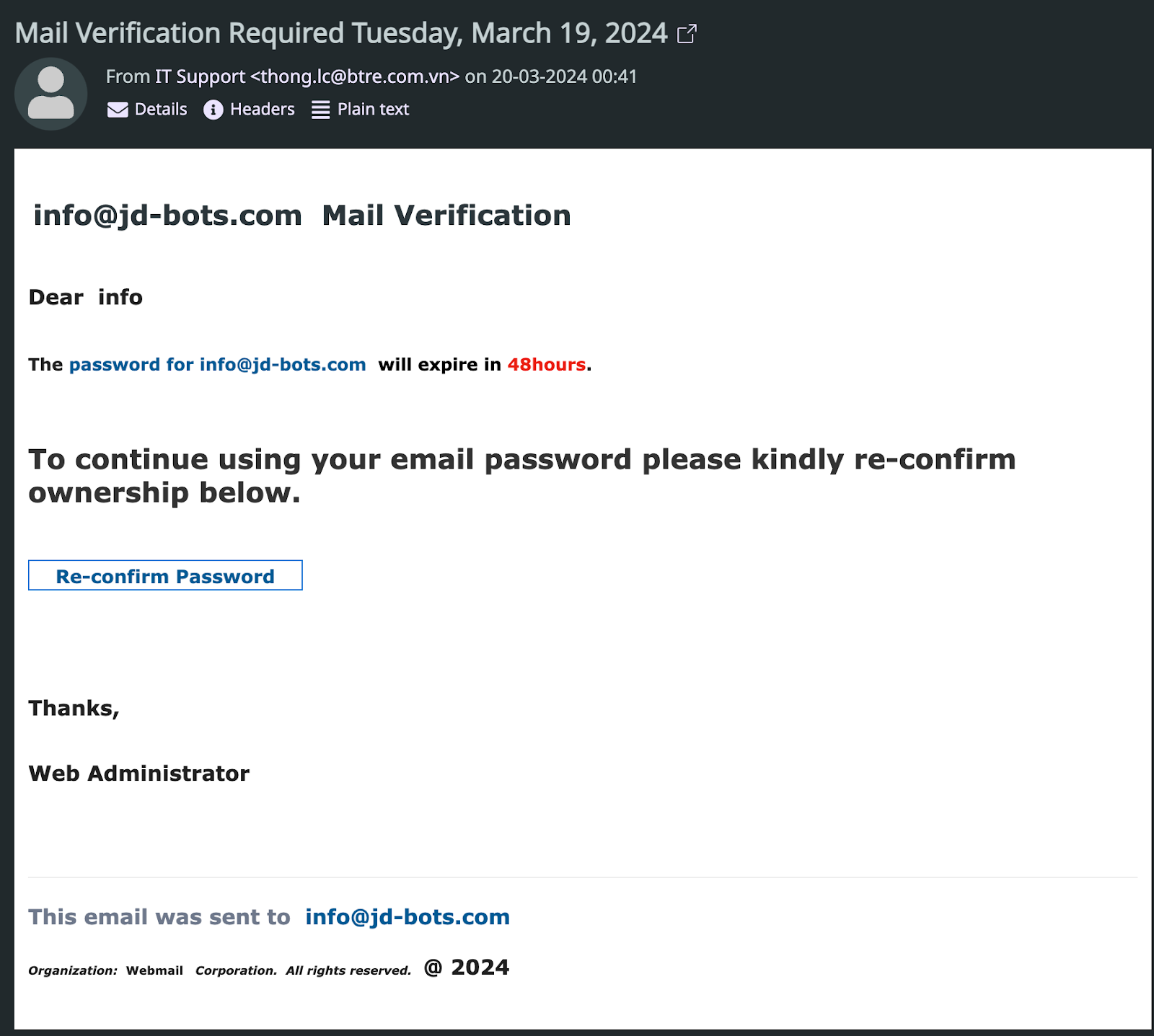
Mail Verification Required - The password will expire in 48hours. To continue using your email password please kindly re-confirm.
Complete Email
info@jd-bots.com Mail Verification
Dear info,
The password for info@jd-bots.com will expire in 48 hours.
To continue using your email password please kindly re-confirm ownership below.
Thanks,
Web Administrator
This email was sent to info@jd-bots.com
Organization: Webmail Corporation. All rights reserved. @ 2024
Red Flags
This email contains several red flags that suggest it could be a phishing attempt:
- Unfamiliar Sender: The sender's email address (
thong.lc@btre.com.vn) is not recognized and does not match the domain related to the content of the email. Always be cautious with emails from unknown senders. - Mismatched Email Domains: The sender and recipient domains do not match, which is unusual for legitimate administrative communications regarding your account.
- Urgency to Act: The email creates urgency by claiming your password will expire soon. Phishing attempts often use such tactics to prompt hasty actions.
- Vague Greetings: The email uses a generic greeting ("Dear info"), rather than addressing you by name, which is not typical for genuine emails from companies you have accounts with.
- Request for Sensitive Information: Asking to re-confirm your password via email is a classic phishing red flag. Legitimate companies usually direct you to their official website or app for such actions.
- Generic Sign-off: The email signs off with a generic title ("Web Administrator") without any specific contact details, which is unusual for official communications.
- No Specific Company Details: The email lacks specific details about the company or service it's supposedly from, referring only to a "Webmail Corporation."
- Formatting and Language Issues: The email's format, including spacing and punctuation, as well as the inclusion of unnecessary legal wording ("All rights reserved. @ 2024"), does not align with professional standards typically seen in legitimate business communications.
If you receive an email like this, it's best to directly verify its legitimacy through known, official channels rather than responding to or clicking on any links within the email itself.
